

SimpleStorage.sol contract from Build Smart Contract to check transactions in Subscan: confirming the deployment, finding a function call, and reading the data that was stored on chain.
Get the contract address
Take the contract address printed when you deployed the contract in Deploy Smart Contract. Everything below starts from that address.Using Subscan to Verify Smart Contract Transactions
1. Access Subscan
Open the Subscan instance for the network you deployed to:2. Confirming Deployment
Paste the contract address into the search bar. If the deployment went through, Subscan opens the contract address page.3. Verifying function calls
Call your contract from Remix, your deployment script, or the Hardhat console, then find that call in Subscan:- Send a write transaction, for example a
setcall. - Wait for Subscan to index it.
- The transaction appears in the EVM Transactions table. Click the arrow to open it.
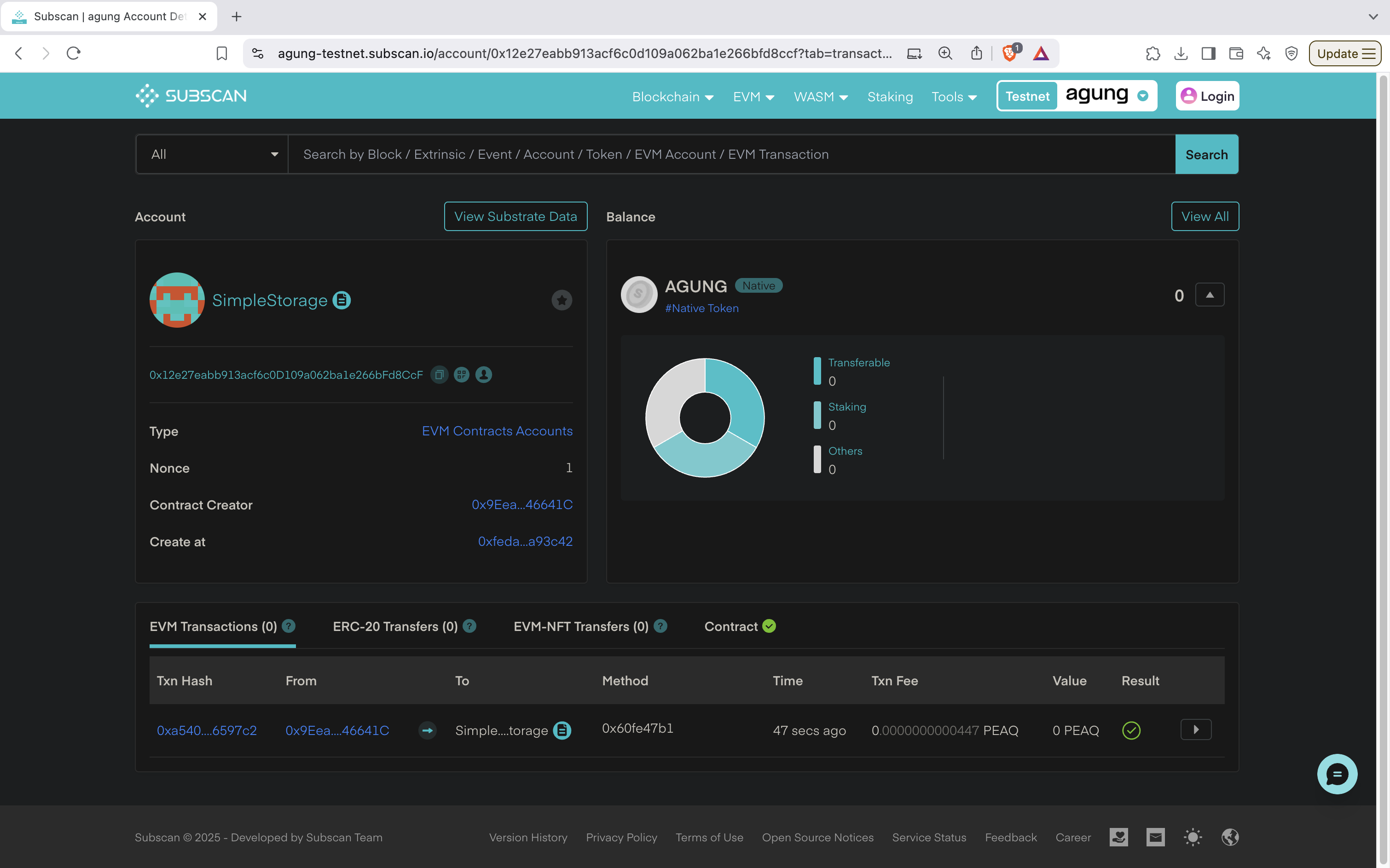
4. Ensure data was successfully stored
The arrow opens the transaction detail page: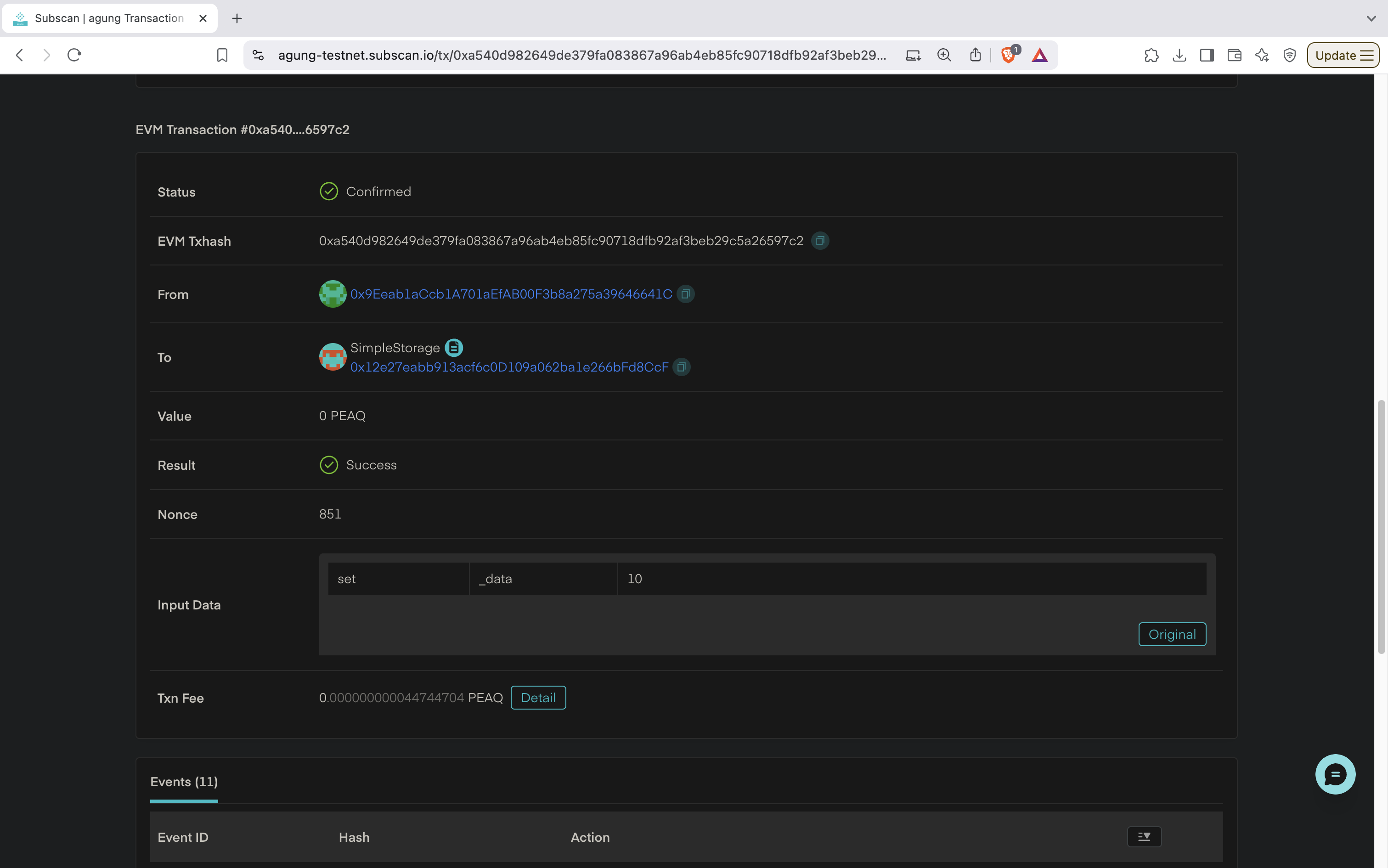
A
Success result with the expected input data means the value reached the contract’s storage.