

machines.peaq.xyz. Subscan indexes blocks, extrinsics, EVM transactions, accounts and contracts on both networks. The Machine Explorer indexes the machines themselves: who operates them, what tier they are on, how much PEAQ is bonded, and the validators securing the chain.
Links
Subscan
Subscan serves pre-indexed data: blocks, extrinsics, EVM transactions, token transfers, accounts and contracts, with search, filtering and history. It covers both the Substrate and the EVM side of peaq, so a DID precompile call and an ERC-20 transfer show up in the same account view. The dashboard gives an overview of the network: finalized blocks, signed extrinsics and active accounts. The search bar takes an account address, a contract address, a transaction hash (0x…, 66 characters), an extrinsic index (<block>-<index>), a block number or a block hash.
Accounts
An account page shows the address and its nonce, the native balance split into transferable and reserved, and the account’s EVM transactions, ERC-20 transfers and NFT transfers. Each transaction row carries the hash, the sender, the target, the method, the time, the fee, the value transferred and the result.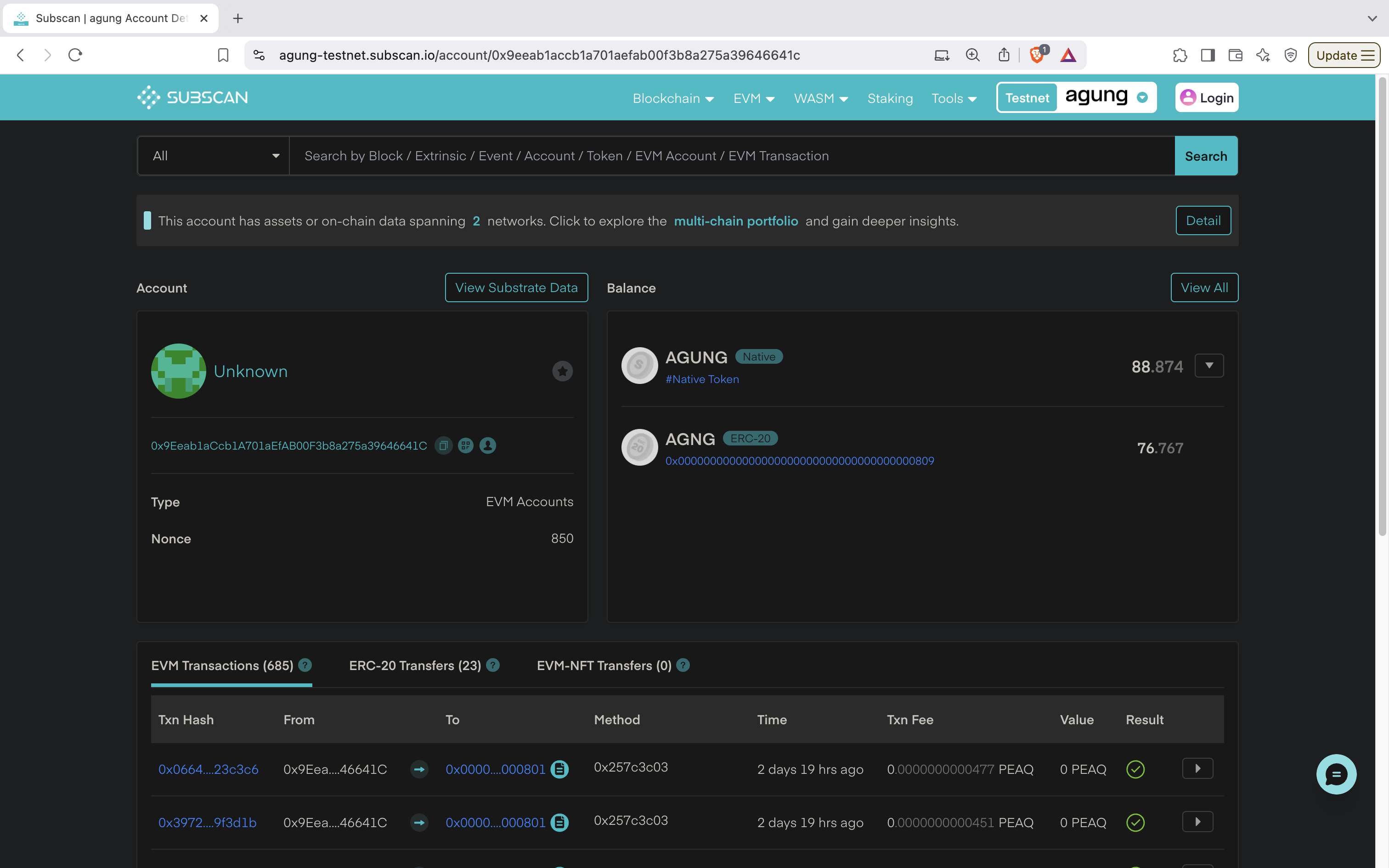
Contracts
A contract address opens the same page with the deployer, the transaction that created the contract, the contract balance and the calls it received, counted per token standard. A method shows as a four-byte selector until the contract is verified, and as its name and parameters afterwards. See Verify Smart Contract.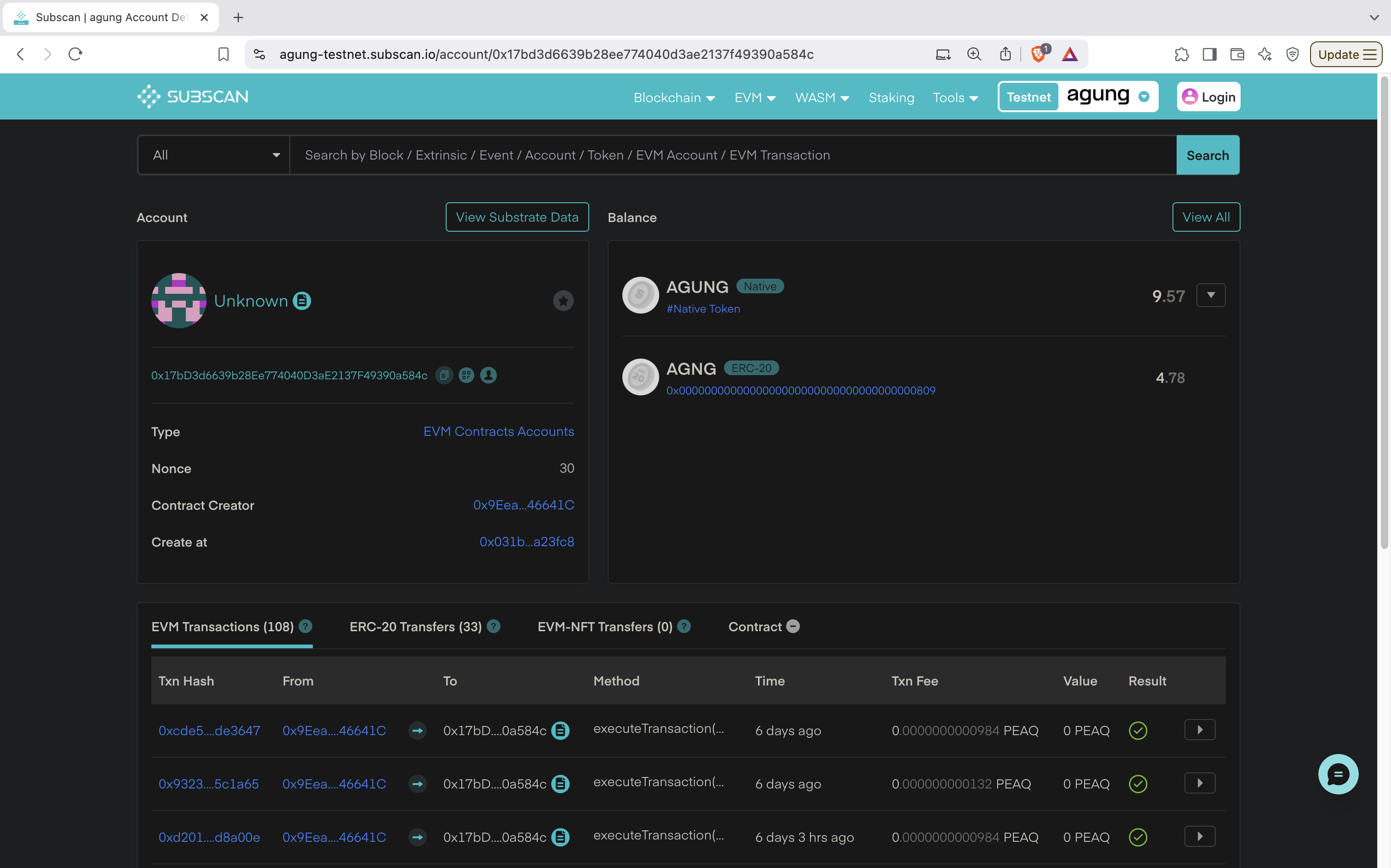
Transactions and blocks
A transaction page shows the sender, the target, the decoded method, the fee and the events the call emitted. A block page shows the block with its extrinsics and events.Machine Explorer
The Machine Explorer is not a block explorer: it indexes peaq mainnet for machines instead of transactions.- Machines: every machine registered on peaq, with operator, machine type and credit rating. Search by DID or address.
- Machine page:
machines.peaq.xyz/machine/0x<address>for a Tokenomics 1.0 or mirrored legacy machine,machines.peaq.xyz/machine/<decimal machine id>for a machine activated under Economics 2.0. Shows identity, activation and bond status, and the on-chain event history, with links to the Subscan events. - Validators: the chain validators with commission, delegator count, total stake and APR, plus the trust validators of Economics 2.0.
- Economics: activated machines, PEAQ bonded, share of circulating supply, and the tier prices converted at the current oracle rate.