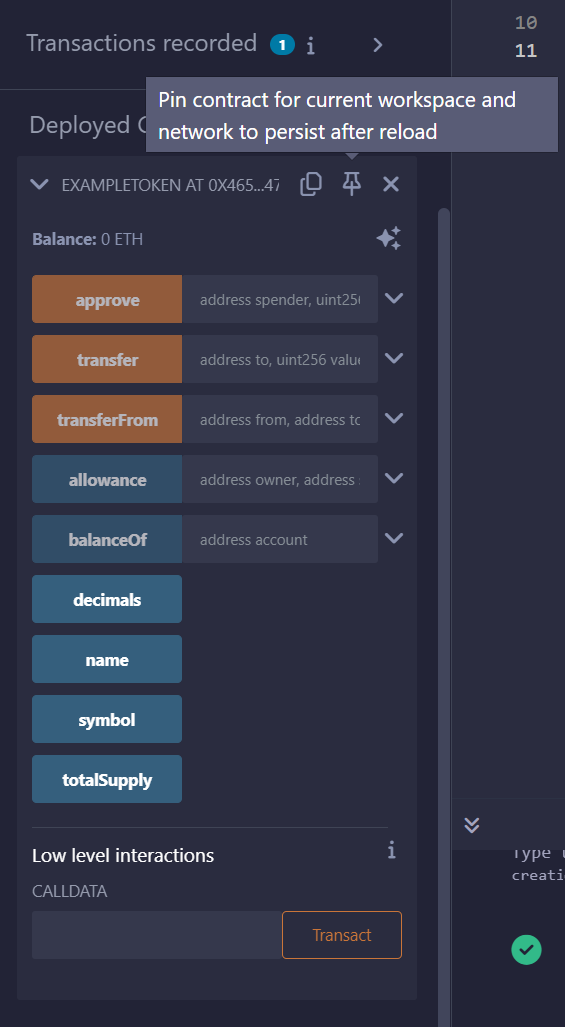
Token NameSymbolTotal Supply
Prerequisites
- Basic understanding of blockchain and ERC-20 tokens.
- MetaMask installed, with the agung network added.
- Familiarity with Remix IDE.
- A wallet funded with AGUNG tokens for gas fees.
Instructions
1. Open Remix IDE
- Open Remix and create a new workspace.
- In File explorer, create a new file.
- Name it
MyERC20Token.sol.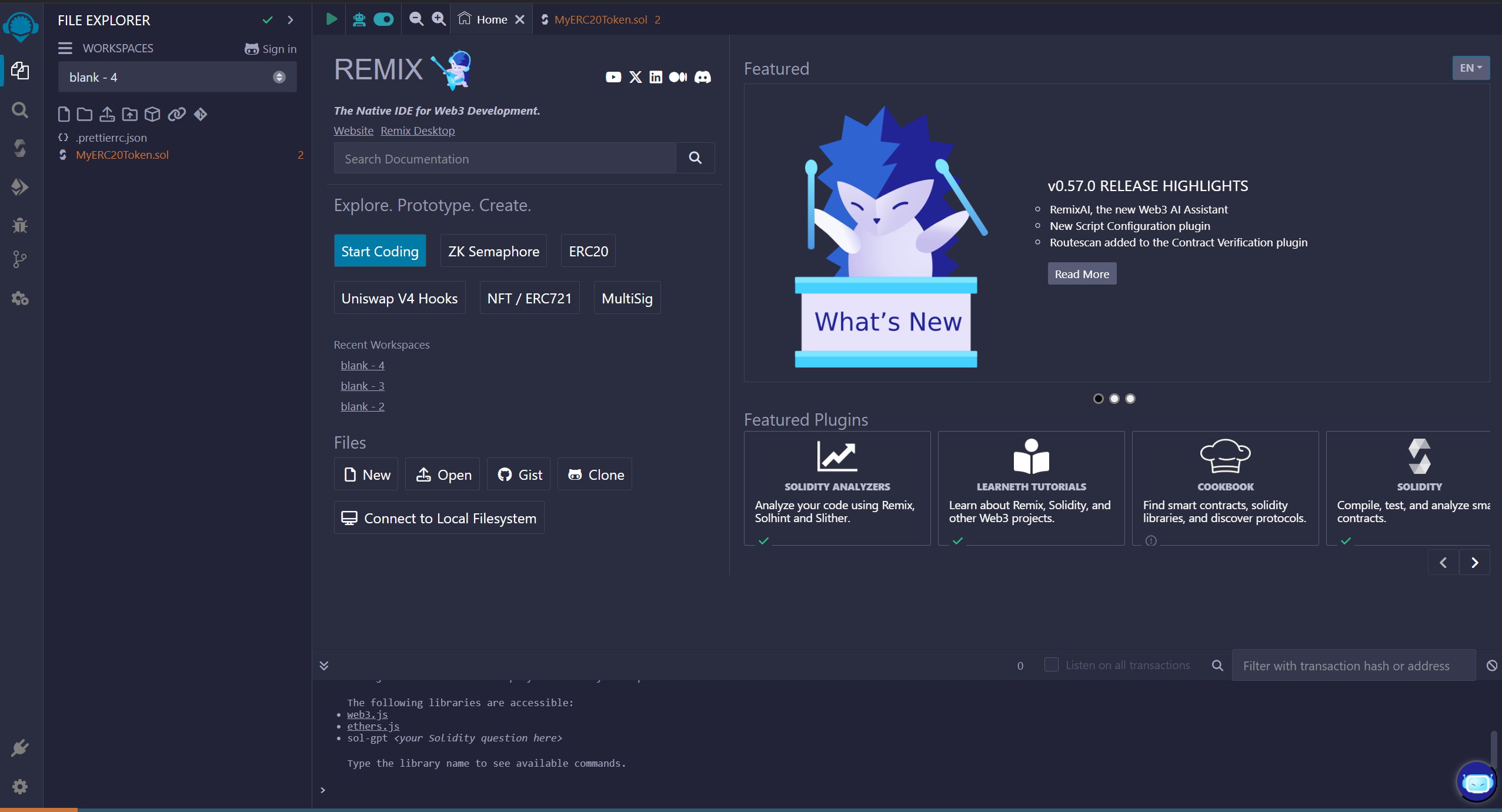
2. ERC-20 Code
Paste this boilerplate ERC-20 contract into the file. It uses the OpenZeppelin ERC-20 implementation:3. Modify Token Details
Update the placeholders in the code:- Token name: replace
"MyToken"with your token’s name, for example"ExampleToken". - Symbol: replace
"MTK"with a short symbol, for example"EXT". - Total supply:
initialSupplyis a constructor argument you pass at deployment. For a supply of 1,000,000 tokens with 18 decimals, enter1000000in step 5.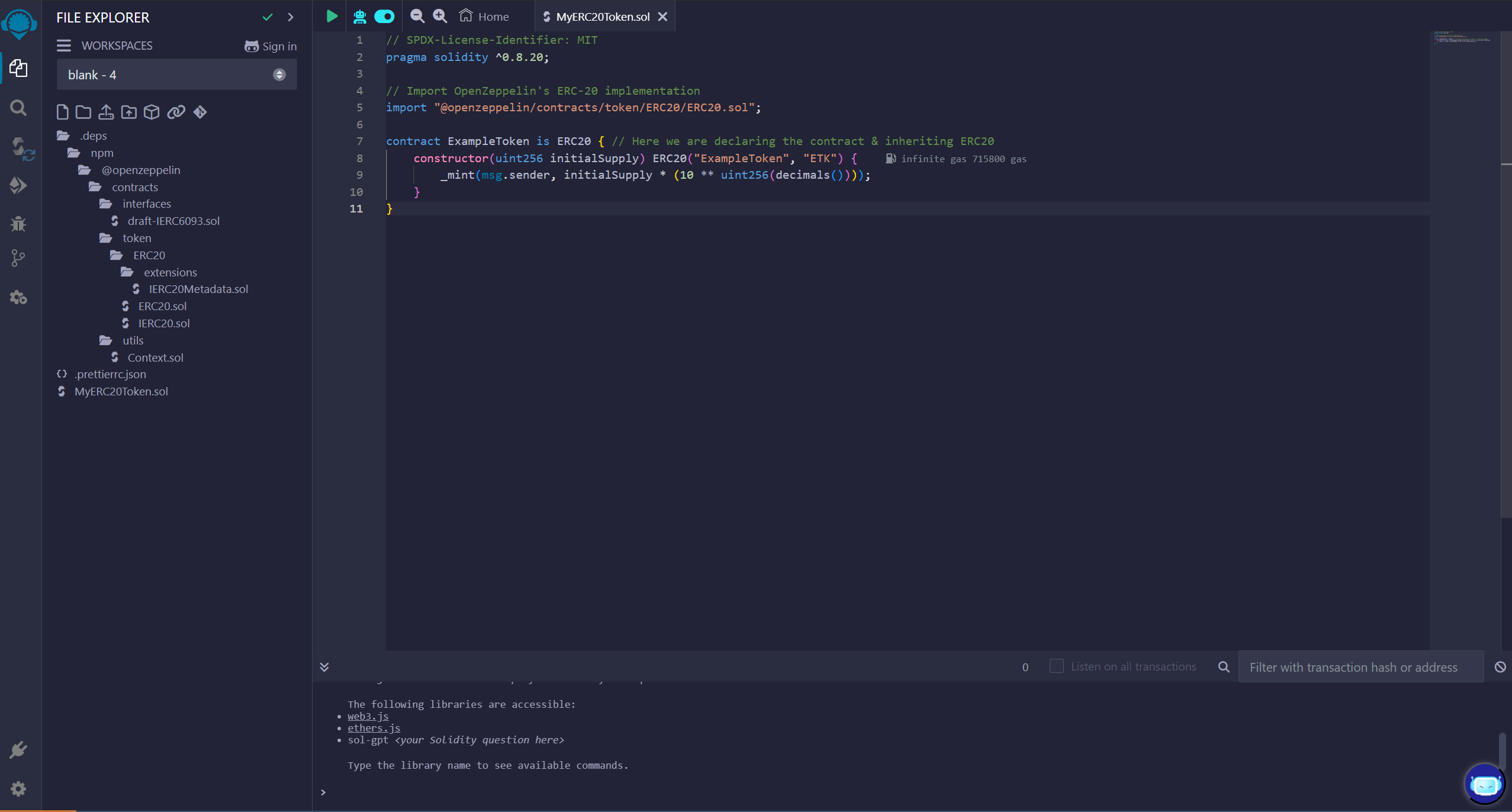
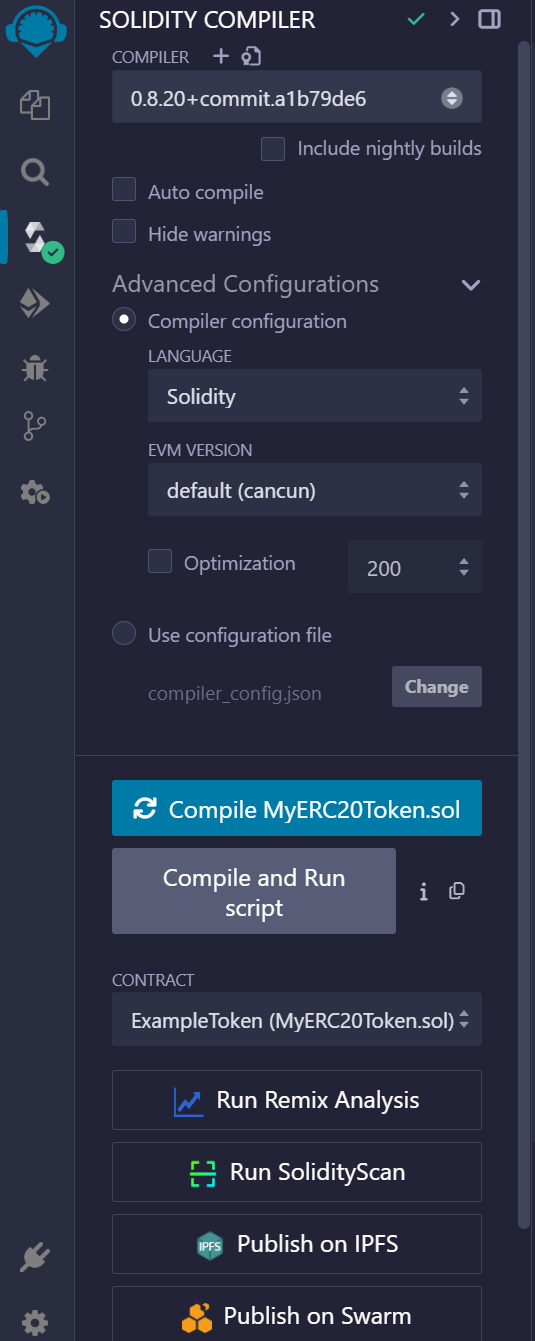
4. Compile the Contract
In the Solidity Compiler tab:- Select a compiler version that matches the pragma, for example
0.8.20+commit.a1b79de6. - Click Compile MyERC20Token.sol.
- Check that there are no errors.
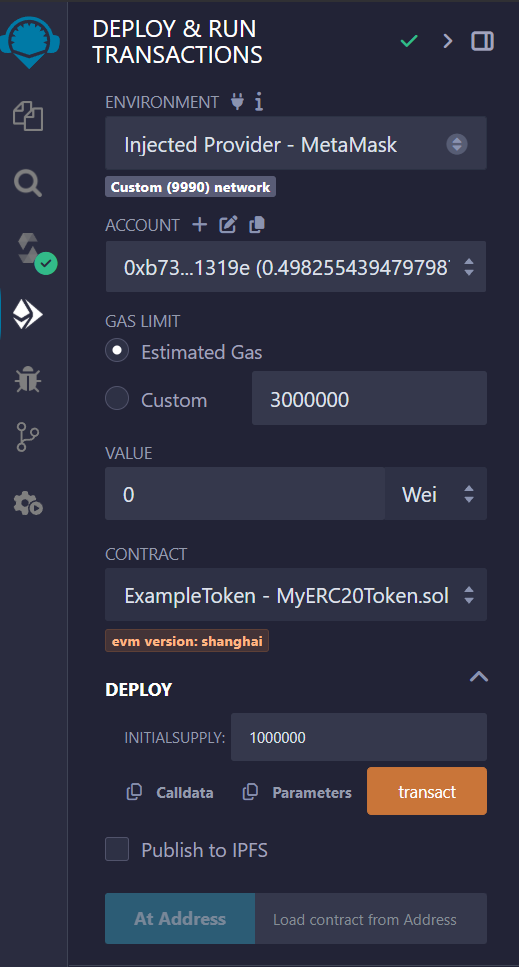
5. Deploy the Contract
- Go to the Deploy & Run Transactions tab in Remix.
- Set the environment to Browser Extension and pick MetaMask.
- Select your agung account in MetaMask.
- In the constructor field, enter the total supply, for example
1000000. - Click Deploy and confirm the transaction in MetaMask.
6. Verify Deployment

MyERC20Token.sol on agung.
- After deployment, the contract appears under Deployed Contracts in Remix.
- Call the read functions (blue) to check
name(),symbol()andtotalSupply(). - Call
balanceOf()with your wallet address to check your token balance.