

18 decimals, so to add or remove 1,234 tokens you enter 1234000000000000000000.
Increase your stake
Developer → Extrinsics → Submission → parachainStaking → candidateStakeMore(more)
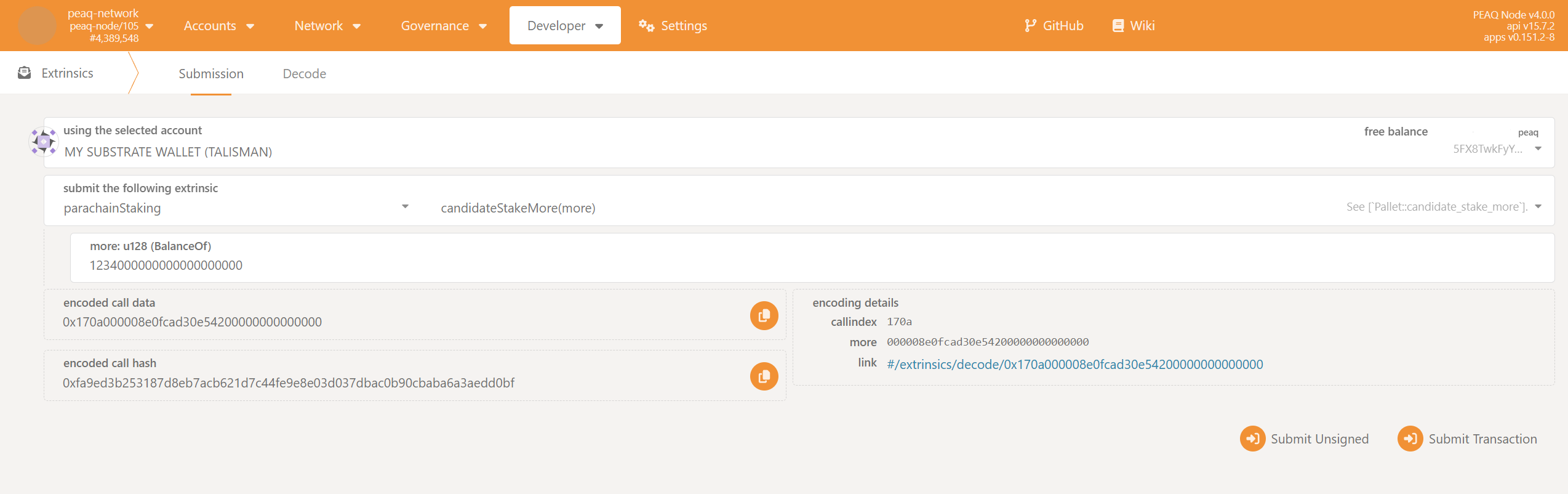
- Enter the amount you want to add to your stake.
- Click
Submit Transaction.
Decrease your stake
Developer → Extrinsics → Submission → parachainStaking → candidateStakeLess(less)
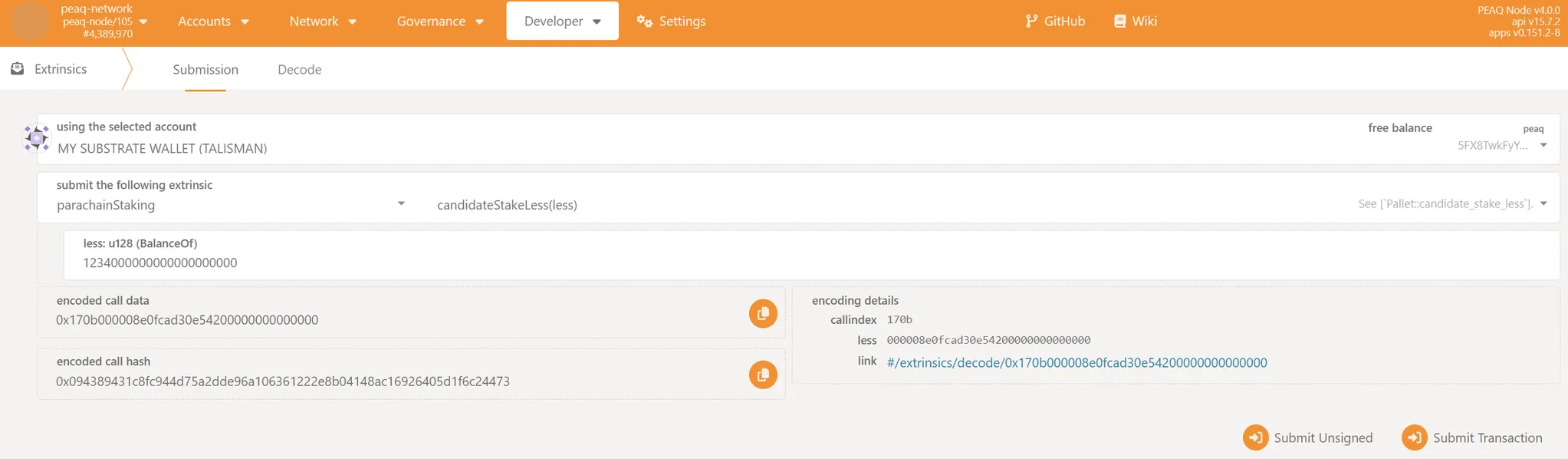
- Enter the amount you want to subtract from your stake.
- Click
Submit Transaction.
Unlock your unstaked tokens
Unstaked tokens unlock201600 blocks after candidateStakeLess (about 14 days at the 6-second target block time; longer when blocks are slower). To see the block at which each amount unlocks, query your validator address under:
Developer → Chain state → parachainStaking → unstaking
Once that block has passed, submit:
Developer → Extrinsics → Submission → parachainStaking → unlockUnstaked(target)
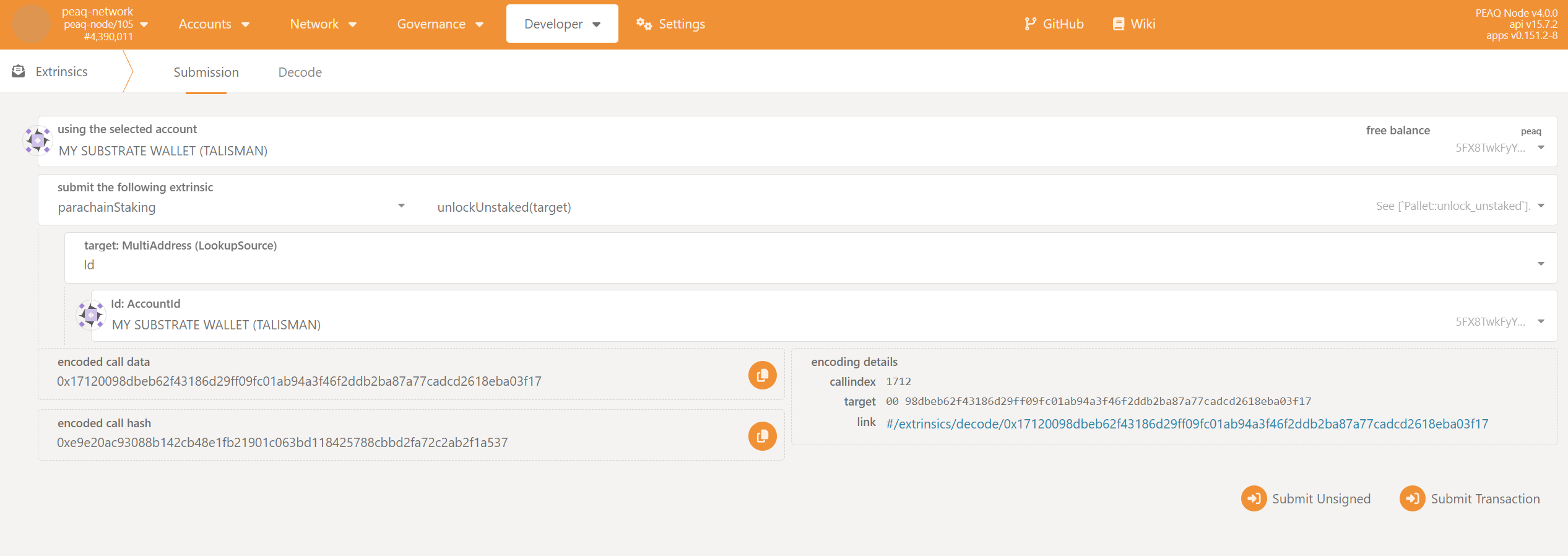
- Select
Idin the dropdown list in the fieldtarget: MultiAddress (LookupSource). - Use the address of your validator account in the
Id:AccountIdfield. - Click
Submit Transaction.