

Prerequisites
- Basic understanding of blockchain, EVM, and vesting concepts.
- Using the Remix IDE with MetaMask configured to interact with a peaq network.
- You have token funds available in the wallet connected to a peaq network.
Instructions
1. Setup Remix IDE
- Open the Remix website.
- Create a new blank workspace for the precompiles.
2. Create a New File
- In your Remix workspace, create a new file named
vesting.sol. - Copy the content of the vesting precompile file from the peaq network node precompile page and paste it into the
vesting.solfile. The precompile is found at the peaq node source code.
3. Compile the Contract
- Compile the
vesting.solfile by clicking on the Solidity Compiler tab and selecting the appropriate compiler version. - Ensure the compilation is successful and generates the ABI file needed for interacting with the smart contract.
4. Deploy and Interact with the Contract
- Under the Deploy and Run Transactions tab, set the environment to Browser Extension and pick MetaMask.
- Ensure your chain ID matches the selected network (peaq/agung).
- Choose the account with sufficient token funds.
- Set the contract address to
0x0000000000000000000000000000000000000808(found at the top of the copied file). - Click At Address to load the deployed contract into the interface.
5. Interact with the Functions
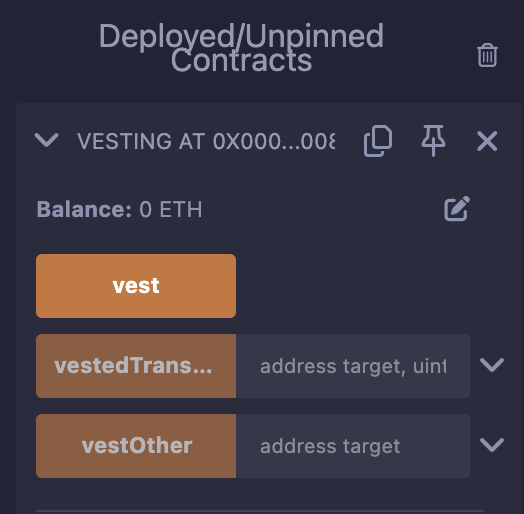
vest
Releases the caller’s own vested funds according to their vesting schedule.vestedTransfer
Creates a new vesting schedule for a transfer. It lockslocked tokens for the target address and releases perBlock tokens per block, starting at startingBlock.
vestOther
Releases the vested funds of another account, given astarget.