

Prerequisites
- Node.js and npm installed.
- TypeScript and Node.js type declarations installed in your project:
- Atlas CLI for the Atlas setup in step 4. With Homebrew on macOS or Linux:
Integration tutorial
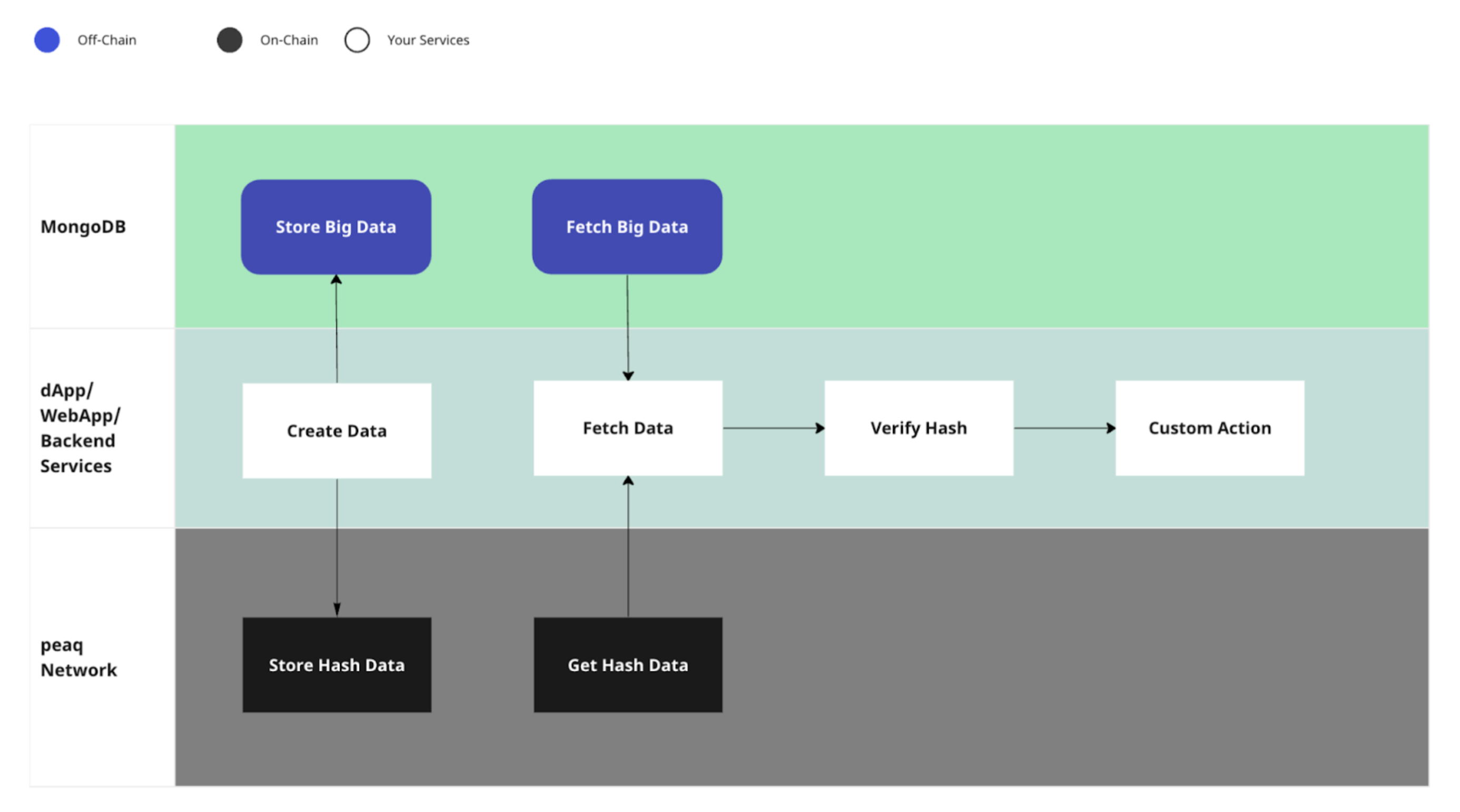
Store the document in MongoDB and write its hash to peaq storage, keyed by the MongoDB document ID. Later you fetch the document from MongoDB, hash it again, and compare against the on-chain value to prove it was not altered.1. Install the required packages
2. Create a tsconfig.json file in your project directory
3. Create a file named app.ts
4. Set up MongoDB
You can run MongoDB locally, in the cloud with Atlas, or serverless.- Download MongoDB.
- Run
atlas setupto create and configure an Atlas account. It prints your cluster name, cloud provider location, and admin username and password. - For Atlas, replace
mongodb://localhost:27017in the step 3 code with your cluster’smongodb+srv://<username>:<password>@<cluster-host>/connection string (atlas setupprints the credentials; the Atlas UI shows the host). For a local MongoDB, keepmongodb://localhost:27017. The MongoDB documentation covers the format. - Run
npx tscto compile the TypeScript, then rename the generatedapp.jstoapp.cjs. The next step imports the class from that file.
5. Connect to peaq
- Create a file named
peaq.jsin the same directory. - Add
"type": "module"to package.json. - Paste the code below to open the peaq connection.
signAndSend without a status callback returns a transaction hash before inclusion. The fixed delay above is only a pause before reading. To wait for inclusion, use a signAndSend status callback, check dispatchError, and wait for status.isInBlock (or status.isFinalized for finality) before reading on-chain storage.
The script uses the MongoDBStorage class from step 3. The document goes into MongoDB, and its hash goes into peaq storage as the pair MongoDB_Id: Hashed_Data. Reading the document back and re-hashing it shows whether it still matches the on-chain record.